

What InfraaPass does.
One app for the guard and the site manager, one dashboard for corporate.
How it works
Four taps at the gate. That is the whole job.
No hardware, no server, no IT project — the app runs on the ordinary phone already at the gate, Android or iPhone. And every entry reaches corporate the moment it is made.
Vehicle arrives
The guard scans the pass — or, with no pass, picks the supplier, material and drop point from a list.
Photos and details
A photo of the number plate fills in the vehicle number. Driver, loaded vehicle and challan — done in seconds.
See who is inside
One screen shows everything on site right now. Logging the exit clears it.
Scans without network
The pass carries its own digital proof — the guard can scan and check it with no signal at all.
Entry and exit both get logged — so you finally know how long every vehicle stayed inside your site.
Features
For the guard, the site manager, and the corporate team.
Vehicle & material entry
Photo-backed entry and exit for every delivery vehicle — plate and driver, load and challan.
Visitor management
Passes on WhatsApp, photo and whom-to-meet at the gate, full visitor history.
Digital gate passes
QR passes for expected vehicles and visitors — scanned and through in seconds, and your site team gets alerted when they arrive.
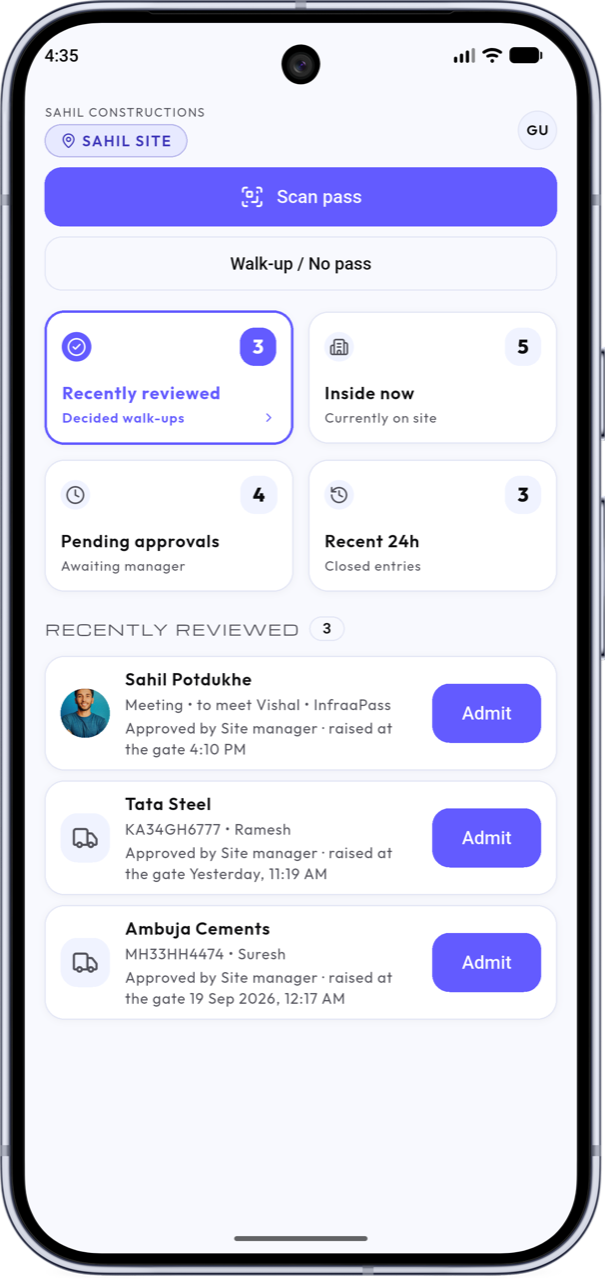
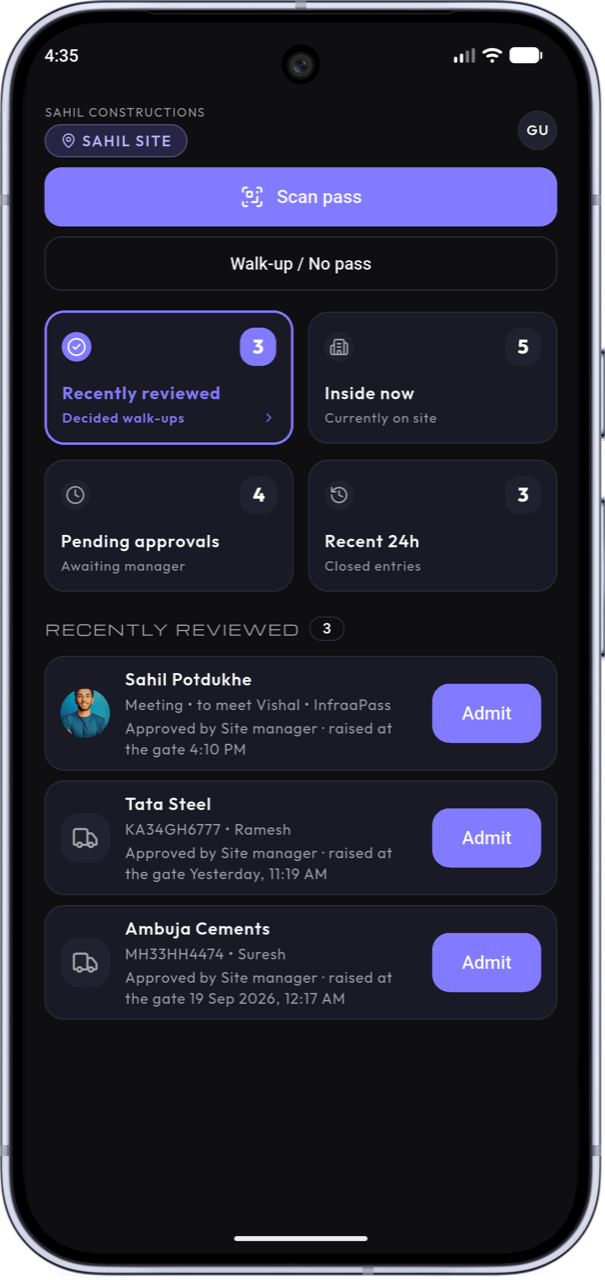
Walk-up approvals
No pass? The guard raises a request, and the site manager approves it from their phone with one tap.
Live site view
Who is inside right now — every vehicle and visitor, updated as the gate moves.
Multi-site dashboard
Every site on one screen at corporate — purchase and project teams check deliveries without calling the site.
Reports & Excel export
Search and filter the full log by site, type or date — export in one click. In Excel, the patterns show up: trips per supplier, busy days, and how long vehicles stay inside.
Offline pass scanning
Passes are digitally signed, so the guard can scan and verify them with no network at the gate.
Gate passes
Know what is coming before it reaches the gate.
When the supplier says a vehicle has left, your site team makes a pass in the app and shares it on WhatsApp.
Expected today
Your site team sees the vehicles and visitors they have given passes to — supplier and material too — before anything reaches the gate.
Ready before the vehicle
Labour, crane and space arranged against a list — not against a horn at the gate.
Visitors get one too
Visitor passes on WhatsApp. Photo and whom-to-meet at entry. See who is on site right now.
In through the gate in seconds
The guard scans, the entry is logged, and your site team is alerted. No calls to check who sent them.
This already happens over calls and WhatsApp today. Now it lands somewhere everyone can see it.
A record you can trust
Once something is written, nobody can quietly change it.
An Excel sheet or a diary can be edited later. In InfraaPass, what is written stays written — that is what makes the record worth something when a bill or GRN is questioned.
Locked once saved
Once an entry is saved, nobody can change it.
Photos on every entry
Taken at the gate, at that moment — not added later from a gallery.
Who did what, and when
Every entry is logged with the person who made it and the time.
Exports to Excel
A clean, dated record — ready when a bill or GRN is disputed.
The guard records. The guard cannot read.
The guard's app shows only who is inside now and the last 24 hours — no history, no supplier list, no export, and no register to hand over when the shift changes. When the agency changes the guard, nothing leaves with the old one — and your site manager trains the new one with a few practice entries. Minutes, not days.
Your data stays yours
Hosted in India. Each role sees only its own screens, and the full record exports whenever you ask.
That is the difference between a notebook and proof.
Works with what you have
Keep your ERP. Keep your GRN. Nothing changes.
InfraaPass does not touch your ERP, your GRN or your stores — there is nothing to connect and nothing to integrate. It simply records what happened at the gate, and when. Because it sits outside your ERP, you can check one against the other when something does not add up.
Your systems
ERP, GRN, issuance, storesInfraaPass
Independent gate recordComing soon: the gate record, delivered into your ERP. It will still be made at the gate — your ERP simply receives it, and nobody types anything twice. Tell us which ERP you run.
Questions we always get
The details, answered.
Whose phone does it run on?
Any ordinary phone — the app is on both the Google Play Store and the Apple App Store, so Android phones and iPhones both work. At the gate that is usually the Android phone already there, or one the site assigns. Site managers use the same app for passes and approvals. Corporate uses the web, in a browser, with nothing installed.
What if the gate phone is lost or broken?
The record does not live on the phone. Entries are saved to the server the moment they are made, the app is locked to the guard's login, and a replacement phone picks up where the old one left off. If a phone goes missing, corporate revokes that login and the device is locked out — and even while it was signed in, a guard's login shows no history, no suppliers, no export.
Does it cover labour attendance?
Not today — InfraaPass covers deliveries, vehicles and visitors at the gate, and workmen and labour attendance stay in your existing system.
See what better feels like.
Book a free demo — see InfraaPass at work on a gate like yours: vehicles, visitors, walk-ups and the corporate view. One call to start, wherever your sites are.
Book a free demo